Reviews
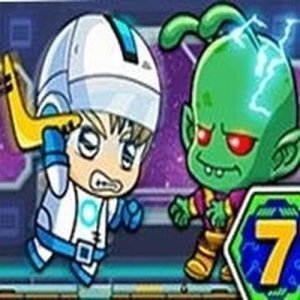
Zombie Mission 7 is a great cooperative action game for two players. Each player has unique controls, making teamwork essential. The game features wall jumping and special items that add variety. It is safe for all ages and provides engaging gameplay without graphic content. Perfect for family game time.
About This Game
Game Introduction
Zombie Mission 7 is a cooperative action game designed for two players. In this game, you and a friend team up to overcome zombie enemies across various levels. Each player controls their own character with unique controls, allowing for coordinated movement, wall jumping, and the use of special items. The game focuses on teamwork and strategy, offering safe, family-friendly entertainment without graphic content. It is suitable for players of all ages who enjoy lighthearted zombie-themed challenges.
How to Play
Players work together to defeat zombies and survive each level. Player 1 typically uses the W, A, S, D keys to move, F to hit, G for special items, W to jump on walls, and Q-E to switch tools. Player 2 uses the arrow keys to move, L to hit, K for special items, the up arrow to jump on walls, and O-P to switch tools. The key to success is coordinating your actions and communicating with your partner to overcome obstacles and enemies.
Game Features
Cooperative gameplay for two players is the main feature, with unique controls assigned to each player. The game includes wall jumping mechanics, special item usage, and tool switching. It emphasizes teamwork and communication, making it a fun challenge for friends or family members. The zombie theme is presented in a non-graphic, age-appropriate manner, ensuring a safe experience for all players.
Tips for Success
To succeed in Zombie Mission 7, practice coordinating your movements with your partner. Use wall jumping to reach higher areas and avoid enemies. Save special items for tough situations and communicate when to switch tools. Work together to clear levels efficiently, and don't hesitate to retry sections to improve your teamwork. Staying aware of each other's positions helps avoid accidental separation.