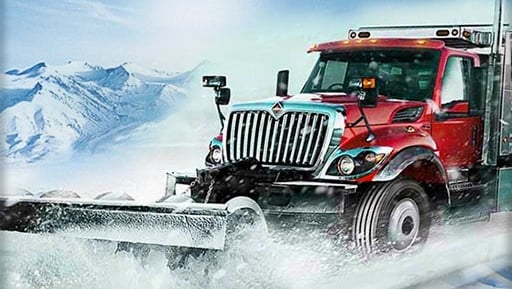
Winter Road Clear Truck offers a refreshingly simple premise that executes well. The controls are responsive, making it easy to navigate tight streets. The winter atmosphere is charming, with gentle snowfall and a quiet city backdrop. The real strength is the clear feedback loop: each pass with the plow visibly clears the road, providing a steady sense of progress. It is a great choice for casual gamers or anyone looking for a low-stress, goal-oriented driving experience.
Players guide a large truck equipped with a front blade through urban streets after a snowstorm. The primary task involves pushing accumulated snow to the sides of the road, gradually restoring clear pathways. Steering and movement are handled through standard keyboard inputs, allowing for forward, backward, and lateral motion. A dedicated handbrake function assists in making tighter maneuvers around corners or when avoiding stationary objects like parked cars. Multiple camera angles are available, giving drivers the flexibility to choose a view that suits their preference, whether a close-up behind the cab or a wider overhead perspective.
The setting is a calm, snow-covered cityscape with residential streets and commercial areas. The atmosphere is intentionally peaceful, with soft snowfall and muted colors that create a relaxing mood. Obstacles such as curbs, traffic signs, and other vehicles are placed naturally throughout the environment, requiring careful attention while plowing. The winter theme is consistent, with snowbanks accumulating along the edges of cleared roads, visually reinforcing the player's progress. This setting provides a gentle challenge without high-pressure time limits or aggressive opponents.
The control scheme is designed for immediate understanding, making the game suitable for younger players and those new to driving games. Key bindings follow common conventions, with arrow or WASD keys for movement and the space bar for the handbrake. Switching camera perspectives is done with a single key press. On-screen prompts or a brief tutorial may guide new players through the basics. This straightforward approach ensures that the focus remains on the satisfying act of clearing snow rather than mastering complex inputs.
There is no intricate scoring system or competitive leaderboard. Instead, the reward comes from visually transforming a snow-blocked street into a drivable path. Each cleared section provides a tangible sense of accomplishment. Players can choose their own route, deciding which roads to tackle first. The game encourages a methodical approach, rewarding patience and careful driving. This design makes it an ideal choice for casual play sessions where the goal is relaxation and a clear sense of purpose.



Comments
0 comments