logo Convergence Playtop
Home Arcade Thi Thinking Classic Class About
Sign In
My Profile Logout
  1. Home
  2. /
  3. Melody Crew Beat Challenge
Melody Crew Beat Challenge

Melody Crew Beat Challenge

Developer: Dark Current Labs
Updated: 2026-07-22
| Arcade , Music , Rhythm
Arcade Music Rhythm

Review

Melody Crew Beat Challenge succeeds as a low-friction rhythm game that prioritizes accessibility. The character selection adds a light layer of personalization, while the song variety keeps the core loop from feeling stale. Performance on older hardware is commendable, with smooth playback even on modest systems. The gradual difficulty curve means players of all skill levels can find a comfortable challenge. If you enjoy timing-based games and want something that loads quickly without fuss, this is a solid choice.

About This Game

Core Gameplay Loop

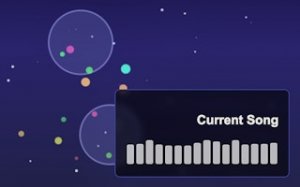
At its heart, Melody Crew Beat Challenge asks players to match on-screen prompts by pressing keyboard arrows or WASD keys exactly when the beat hits. Each song presents a sequence of cues that scroll in time with the melody. Success depends on precise timing and steady concentration. The game starts at a comfortable pace, allowing newcomers to get a feel for the rhythm before the tempo gradually increases in later tracks.

Character Selection & Visual Style

Players can choose from several distinct characters, each with a unique appearance that adds personality to the experience. The visual design uses bright, friendly colors and simple animations that keep the focus on the beat. While the characters do not affect gameplay mechanics, they offer a way for players to personalize their session. The overall look is clean and uncluttered, making it easy to read the on-screen cues even on smaller screens.

Song Library & Progression

The game includes a selection of original songs that share an upbeat, cheerful tone. Each track has its own rhythm pattern, so players must adapt to different tempos and cue arrangements. As you complete songs, new ones may become available, providing a natural sense of advancement. The difficulty curve is gentle, with earlier songs serving as practice for the faster, more complex rhythms found later.

Accessibility & Technical Performance

Melody Crew Beat Challenge is built as a web application that runs smoothly on a wide range of devices, including older laptops, Chromebooks, Macs, and Linux systems. There is no need to install any software or create an account. The game loads directly in a browser tab and responds to keyboard input with minimal delay. This low technical barrier makes it easy for anyone with an internet connection to start playing within seconds.

Tips for Improving Timing

New players often benefit from starting with slower songs to build a sense of rhythm. Focusing on the sound of the music rather than the visual cues can help internalize the beat. Taking short breaks between attempts prevents fatigue and keeps reaction times sharp. Repeating the same song multiple times allows muscle memory to develop, which is especially useful for sections with rapid note sequences.


Compatibility

✅ Works on PC & Mobile | Recommended: Chrome / Safari / Edge

Share:

Faq

Is Melody Crew Beat Challenge free to play?
Yes, the game is completely free. There are no hidden charges, in-app purchases, or subscription fees. You can play all available songs and characters without paying anything.
Can I play Melody Crew Beat Challenge on a mobile phone?
The game is designed for keyboard input and works best on desktop or laptop computers. While it may load on some mobile browsers, the controls are optimized for physical keys rather than touchscreens.
Do I need to download anything to play?
No downloads or installations are required. The game runs entirely in your web browser. Just visit the website and start playing immediately.
How many songs are available in the game?
The game includes a selection of original songs. The exact number may vary, but players can expect several tracks with different tempos and rhythm patterns to master.
Does the game save my progress?
Progress may be saved using browser cookies or local storage, but this depends on the specific version you are playing. Some implementations save high scores for the current session only.
Can I use a game controller instead of the keyboard?
The game is designed primarily for keyboard input using arrow keys or WASD. Controller support is not mentioned and likely not available in the standard web version.

Comments

0 comments
U
User
★ ★ ★ ★ ★
Please login to post a comment.
Loading comments...

Related Games

Street Chef Stack Dash 3D
▶

Street Chef Stack Dash 3D

Arcade , Runner , Parkour , Racing
Crystal Harmony Puzzle
▶

Crystal Harmony Puzzle

Arcade , Tap , Puzzle , Music , Relaxing , Logic
Ladders and Slides Classic Board Game
▶

Ladders and Slides Classic Board Game

Arcade , Classic , Family
Dig It Puzzle Arcade
▶

Dig It Puzzle Arcade

Thinking , Arcade
Bubble Puzzle Challenge
▶

Bubble Puzzle Challenge

Arcade , Classic , Puzzle
Temple Puzzle: Two Player Escape
▶

Temple Puzzle: Two Player Escape

Arcade , Pixel , Two Player , Puzzle , Adventure
Parking Puzzle: Arcade Driving Game
▶

Parking Puzzle: Arcade Driving Game

Arcade , Car , Parking , Driving , Puzzle
Off-Road Motocross Challenge
▶

Off-Road Motocross Challenge

Racing & Driving , Racing , Off-Road , Motocross , Arcade , Family-Friendly , Sports

Convergence Playtop

  • Home
  • Arcade
  • Thi
  • Thinking
  • Classic
  • Class
  • About
  • Terms of Use
  • Privacy Policy
  • Contact Us
  • Disclaimer

© 2026  Convergence Playtop All rights reserved.

↑

Share this page

Copy the link below to share this page: