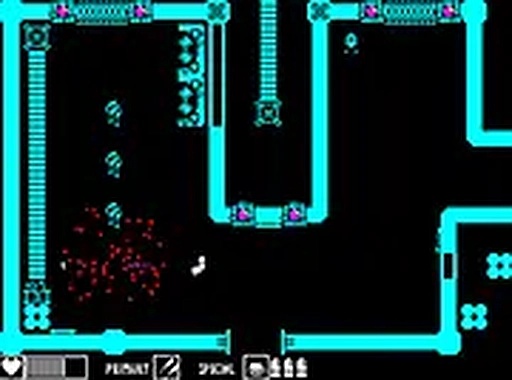
Robostar Quest Arcade delivers a nostalgic yet fresh experience with its twin-stick shooter mechanics and exploration. The handcrafted map is full of secrets, and the multiple endings encourage replay. The pixel-art visuals and chiptune soundtrack enhance the retro feel. It is family-friendly and runs in a browser, making it easy to pick up and play.
Robostar Quest Arcade is a retro-style twin-stick shooter that combines exploration with role-playing elements. Players take on the role of a robot hero navigating a vast, handcrafted map filled with mysterious environments. The core objective is to explore, uncover secrets, and make choices that lead to multiple alternative endings. What makes this game unique is its blend of classic arcade action with modern exploration, all wrapped in pixel-art visuals and a chiptune soundtrack. It offers about two hours of engaging gameplay, designed for desktop browsers, making it accessible to anyone with a computer and internet connection. The family-friendly content is suitable for all ages, evoking nostalgia while delivering a fresh adventure.
Players control their robot character using a keyboard or mouse. The twin-stick mechanics allow for precise movement and aiming: one hand moves the character, while the other handles shooting. The large map is divided into different areas, each filled with obstacles, enemies, and hidden items. Exploration is key, as the player's choices affect the story and lead to one of many endings. The game is easy to pick up, but offers depth for those who enjoy thorough exploration. For the best experience, playing in full-screen mode is recommended to immerse oneself in the pixel-art world.
This game features a retro twin-stick shooter with exploration and multiple endings. It includes a handcrafted map with secrets and hidden items. The visuals are pixel-art, complemented by a chiptune soundtrack. Being browser-based, it requires no download and runs smoothly on desktop computers. The content is family-friendly and suitable for all ages. With about two hours of gameplay, it offers high replay value due to its branching story paths.
To succeed in Robostar Quest Arcade, players should thoroughly explore every area to find hidden items and secrets that can aid in combat or unlock new paths. Pay close attention to the environment, as clues may be hidden in the pixel-art details. Practice using the twin-stick controls to improve accuracy and movement during combat. Experiment with different choices to see how they affect the story, as this can lead to discovering all the alternative endings. Finally, replay the game multiple times to fully experience all the content and secrets the handcrafted map has to offer.








Comments
0 comments